


 CROSSBODY PHONE CASES
 WALLET PHONE CASES
 DIY & CUSTOMIZATION
 SHOP ALL
 ADD-ONS
 SALES
SALES PHONE MODEL

How to check the model of iPhone?
Go to Settings > General > About > Model Name
Step 1. Go to the "Settings" app

Step 2. Find the "General" option
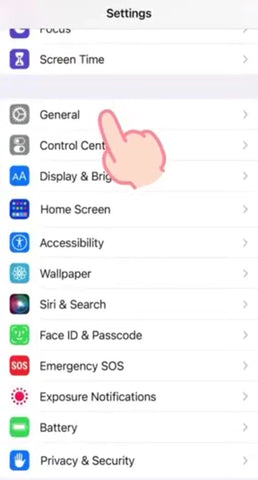
Step 3. Tap "About"

Step 4. See your Phone Model under device info

How to check the model of Samsung?
Step 1. Launch Settings

Step 2. Go to About Phone or About Device

Step 3. Find your Device Name or Model & Hardware

Already know your model? Shop your collection below!
| Your Phone Model | Shop Now |
|---|---|
| iPhone Duo | iPhone Duo Cases → |
| iPhone 18 Pro Max | iPhone 18 Pro Max Cases → |
| iPhone 18 Pro | iPhone 18 Pro Cases → |
| iPhone 17 Pro Max | iPhone 17 Pro Max Cases → |
| iPhone 17 Pro | iPhone 17 Pro Cases → |
| iPhone 16 Series | iPhone 16 Series Cases → |
| Samsung Galaxy S26 Ultra | Samsung S26 Ultra Cases → |
| Samsung Galaxy S25 Ultra | Samsung S25 Ultra Cases → |
Have more questions? Reach out to service@custype.com — we're happy to help.


